
The work you do matters—and having the right support makes all the difference.
Cummins stands behind truck equipment manufacturers, body builders, and operators with trusted, expert-backed resources designed to simplify engine integration and keep things running the way they should. From clear technical documentation to real-world guidance from experienced engineers, these tools are here to help you make confident decisions, avoid unnecessary downtime, and keep your equipment working as hard as you do.

Support for your application and control needs
Typical Applications (not all inclusive)
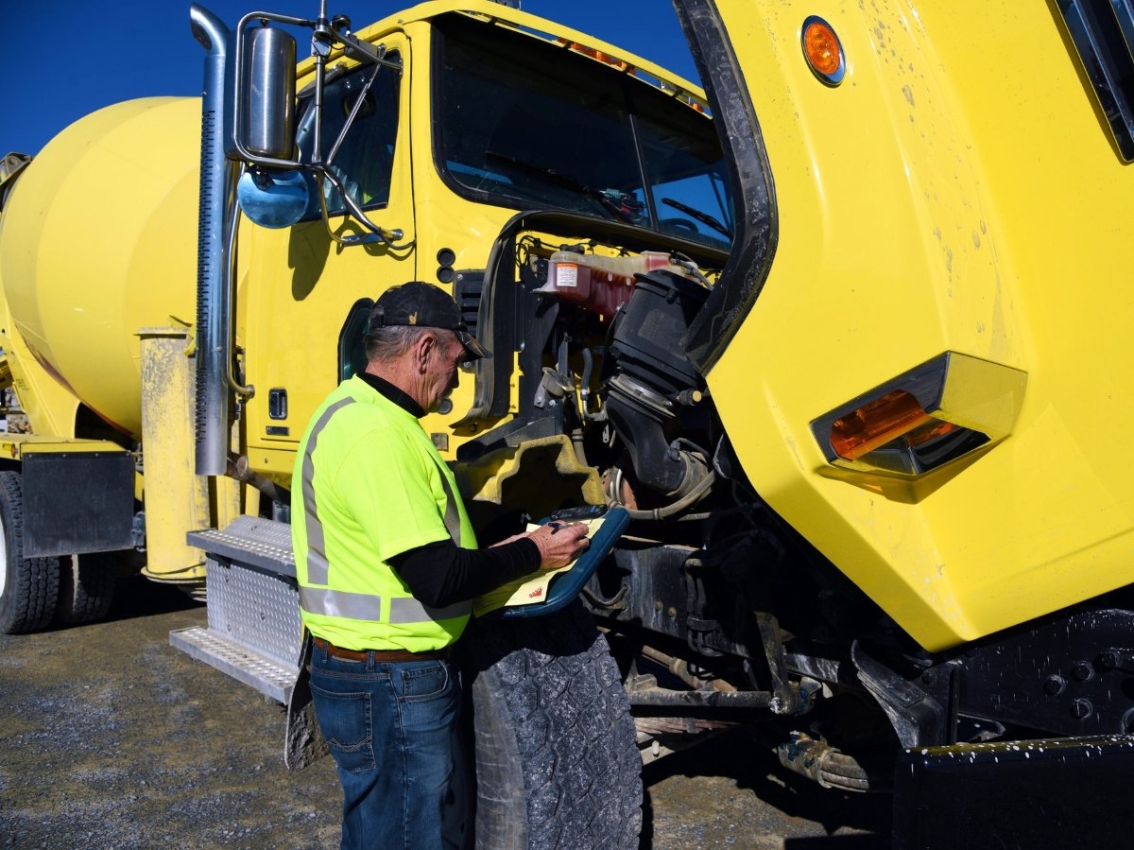
- REPTO/FEPTO – Refuse Trucks, Cement Mixers, Cranes, and Sewer Cleaners
- Split Shaft PTO – Emergency Vehicles, Hydro Excavators, Sewer Cleaners, Concrete Pumpers, Oil and Gas Service Rigs, and Drilling Rigs
- 6/8 Bolt – Paint Stripers, Fuel Tankers, Propane Tankers, Water Tankers, Roll Offs, and Dump Trucks
Currently supported engine control interfaces:
- Remote Station PTO control – Uses direct wiring of PTO On/Off and Set/Resume back to the Cummins ECM. This method allows the cab PTO switches to remain multiplexed through the truck
- Remote PTO control – Uses direct wiring or multiplexing of one switch to set engine speed to one of five preset engine speeds
- Remote Accelerator – Uses a potentiometer setup (hardwired or multiplexed) to select a desire engine speed
- TSC1 Control – Utilizes SAE J1939 PGN 0 (TSC1) in order to operate the engine at a particular speed or torque or to enforce a speed or torque limit
- Transmission Driven PTO – For Split Shaft PTO rigs allows the selection of custom governor tuning for a particular application. Also disables speedometer while in split shaft mode.
- Fire Pressure Governor – For emergency vehicles
Upcoming supported engine control interfaces:
For select applications (e.g., street sweepers and aircraft refuelers), the X10 supports low-speed cruise control, enabling engagement at speeds as low as 5 mph.
Body Builder FAQ
If the diagnostic connector is Gray and has 6 pins please fill out the form at the Contact Us link below.
If the diagnostic connector is Black and has 9 pins use the primary SAE J1939 vehicle datalink which is connected to Pins C & D in the diagnostic connector If the diagnostic connector is Green and has 9 pins it depends on the OEM and model.
-
Navistar – 500 K Baud datalink on Pins C & D
-
Volvo/Mack – 250 K Baud datalink on Pins H & J
-
Autocar – 500 K Baud datalink on Pins C & D
-
Kenworth/Peterbilt – Legacy Chassis (ie KW T800, Pete 367 – 250 K Baud VCAN datalink which is found on Pins F & G
-
Kenworth/Peterbilt – New Generation Chassis (ie KW T880, Pete 567 – 500 K Baud VCAN2 datalink on Pins C & D
-
All other OEMs – Most others use 500 K Baud on Pins C & D. If not sure click on the Contact Us link below.
Yes – Maximum available torque varies by engine model and rating. Please click on the link for Heavy Duty Truck or Medium Duty Truck to find details on various Cummins engines. Available torque and power by speed is listed along with Clutch Engagement Torque (That is torque available at idle speed).
Cummins supports multiplexed Cab PTO and Remote PTO switches. Cummins supports hardwired Cab PTO, Remote Station PTO and Remote PTO switches. Remote Station PTO has the same functionality as Cab PTO switches but allows for hardwired switches from a “Remote Station” while also allowing the Cab PTO switches to be multiplexed. Remote PTO can also be multiplexed. If you wish to send Multiplexed Cab PTO switches from a remote source that is possible by changing the source address under SAE J1939 Multiplexing for PTO On/Off and PTO Set Resume to the source address of your device.
Cummins supports both. An enable switch must be provided along with the Accelerator device itself.
All Cummins on highway engines support J1939 TSC1 control for Engine Speed Request, Torque Request, Torque Limit and Engine Speed Limit.
Join the Club!
Need help with your engine programing integration? We’re here to help. Submit a question to our technical experts for support.
Join the Club!
Need help with your engine programing integration? We’re here to help. Submit a question to our technical experts for support.

The old notion that there is no replacement for displacement has met its match in a compelling new solution by Cummins in its Cummins HELM™ 10-liter platform.

Advanced diesel engines fuel many of the world’s most vital industries.

Commercial vehicle fleet managers face a dizzying array of options when it is time to replace or upgrade vehicles.

Most people never think about uptime until something stops working.

A simplified aftertreatment system on Cummins’ natural gas engines offers strong uptime and no routine maintenance in a lightweight package, and it has improved further.

When drivers choose a RAM heavy-duty pickup truck, they expect strength, durability and dependable performance.

Four trucks. Seven cities. One goal: put Cummins' powertrains in the hands of the people who use them every day.

Summary Natural gas engines offer lower operating costs and reduced emissions compared to diesel, and their simpler, maintenance-free exhaust treatment system eliminates the filter changes and replacements that diesel engines require.

Summary Natural gas engines have emerged as a strong alternative to diesel for heavy-duty commercial fleets, offering quieter operation, simpler maintenance, more convenient refueling options, and consistently lower, more stable fuel costs.

Today’s medium-duty fleets are faced with a growing demand to deliver high performance while lowering environmental impact.

Low and stable natural gas prices continue to draw attention from fleets and owner-operators looking to reduce operating costs while lowering emissions.
Engineering the next generation of power.
With more than 80 years of experience powering commercial, recreational and government applications globally, Cummins offers the reliability and durability operators expect.

Power
400 - 500 hp
Power
298 - 373 kW
Torque
1450 - 1850 lb-ft
Torque
1966 - 2508 N•m
Certification
EPA 2024

Power
525 - 565 hp
Power
391 - 421 kW
Torque
1650 - 2050 lb-ft
Torque
2237 - 2779 N•m
Certification
EPA 2024

Power
430 - 605 hp
Power
321 - 451 kW
Torque
1650 - 2050 lb-ft
Torque
2237 - 2779 N•m
Certification
EPA 2024

Power
525 - 565 hp
Power
391 - 421 kW
Torque
1650 - 2050 lb-ft
Torque
2237 - 2779 N•m
Certification
EPA 2021

Power
430 - 605 hp
Power
321 - 451 kW
Torque
1650 - 2050 lb-ft
Torque
2237 - 2779 N•m
Certification
EPA 2021

Power
400 - 500 hp
Power
298 - 373 kW
Torque
1450 - 1850 lb-ft
Torque
1966 - 2508 N•m
Certification
EPA 2021

Power
430 - 605 hp
Power
321 - 451 kW
Torque
1650 - 2050 lb-ft
Torque
2237 - 2779 N•m
Certification
EPA 2017

Power
400 - 500 hp
Power
298 - 373 kW
Torque
1450 - 1850 lb-ft
Torque
1966 - 2508 N•m
Certification
EPA 2017

Power
350 - 500 hp
Power
261 - 373 kW
Torque
1250 - 1700 lb-ft
Torque
1695 - 2305 N•m
Certification
EPA 2017

Power
320 - 400 hp
Power
239 - 298 kW
Torque
1150 - 1450 lb-ft
Torque
1559 - 1966 N•m
Certification
EPA 2018
Power
320 - 400 hp
Power
239 - 298 kW
Torque
1150 - 1450 lb-ft
Torque
1559 - 1966 N•m
Certification
EPA 2018

Power
250 - 320 hp
Power
186 - 239 kW
Torque
660 - 1000 lb-ft
Torque
895 - 1356 N•m
Certification
EPA 2018